I need to get back to playing with this. Maybe after my new workshop is done.
Monday, December 22, 2025

Thursday, March 4, 2021
math behind the guilloche
These are the parts of the program that draw each section in case someone wants to know the math.
This is the first set of spirals.
for (float theta = 0.0; theta < 16.0 * PI + 0.02; theta = theta + 0.02){
float radius = 120.0 * theta / (16.0 * PI);
radius = radius + sin(theta * 12.0) * theta * 15.0 / (16.0 * PI);
float xp = sin(theta) * radius;
float yp = cos(theta) * radius;
draw(xp,yp);
}
Then there is a section that is kind of like a spirograph except it also weaves in and out as it goes around.
for (float theta = 0.0; theta < 32.0 * PI + 0.02; theta = theta + 0.02){
float radius = 180.0;
radius = radius + sin (theta * 6.1875) * 60.0 + sin(theta * 12.0) * 15.0;
float xp = sin(theta) * radius;
float yp = cos(theta) * radius;
draw(xp,yp);
}
for (float theta = 0.0; theta < 2.0*PI+2.0*PI/14400.0; theta = theta + 2.0*PI/14400.0){
float radius = 255.0; //the distance from 0,0 to the center of the figure eights
float newTheta = sin(theta*200.0)*2.2*PI/150.0+theta;
float newRadius = radius + sin(theta*100.0)*10.0 + sin(theta*12.0)*15.0;
float x = sin(newTheta)*newRadius;
float y = cos(newTheta)*newRadius;
draw (x,y);
}
It tries to draw the loops a little smaller than the plotter is able to do because of the drag of the pen.
for (float theta = 0.0; theta < 32.0*PI+0.02; theta = theta + 0.02){
float radius = 335.0;
float newRadius = radius + sin(theta*6.1875)*65.0;
float newRadius2 =newRadius + (400.0-newRadius)/8.667*sin(theta*12.0);
float newRadius3 = newRadius2 + (newRadius-270)/4.333*sin(theta*6.0);
float x = sin(theta)*newRadius3;
float y = cos(theta)*newRadius3;
draw (x,y);
}
The last section just makes some spirals that are close together like the first set only they just go in and out 6 times instead of 12.
for (float theta = 0.0; theta < 2.0*PI*6.0+2.0*PI/360.0; theta = theta + 2.0*PI/360.0){
float radius = 400.0;
float newRadius = radius + sin(theta*6.0)*30.0+theta;
float x = sin(theta)*newRadius;
float y = cos(theta)*newRadius;
draw (x,y);
}
Sunday, February 28, 2021
Guilloche time lapse
I videoed this as a series of one minute videos. It actually took about two hours to plot. It was inspired by this guy.
https://youtu.be/qjc-oAkoKvY
I am a fan of the axidraw plotter and look what people are doing with it.
I have slow internet so I was going to upload a bunch of short videos and got tired of doing them all.
I found some shareware that would help me link them all together and speed it up. So it is not a normal timelapse made from a bunch of photos.
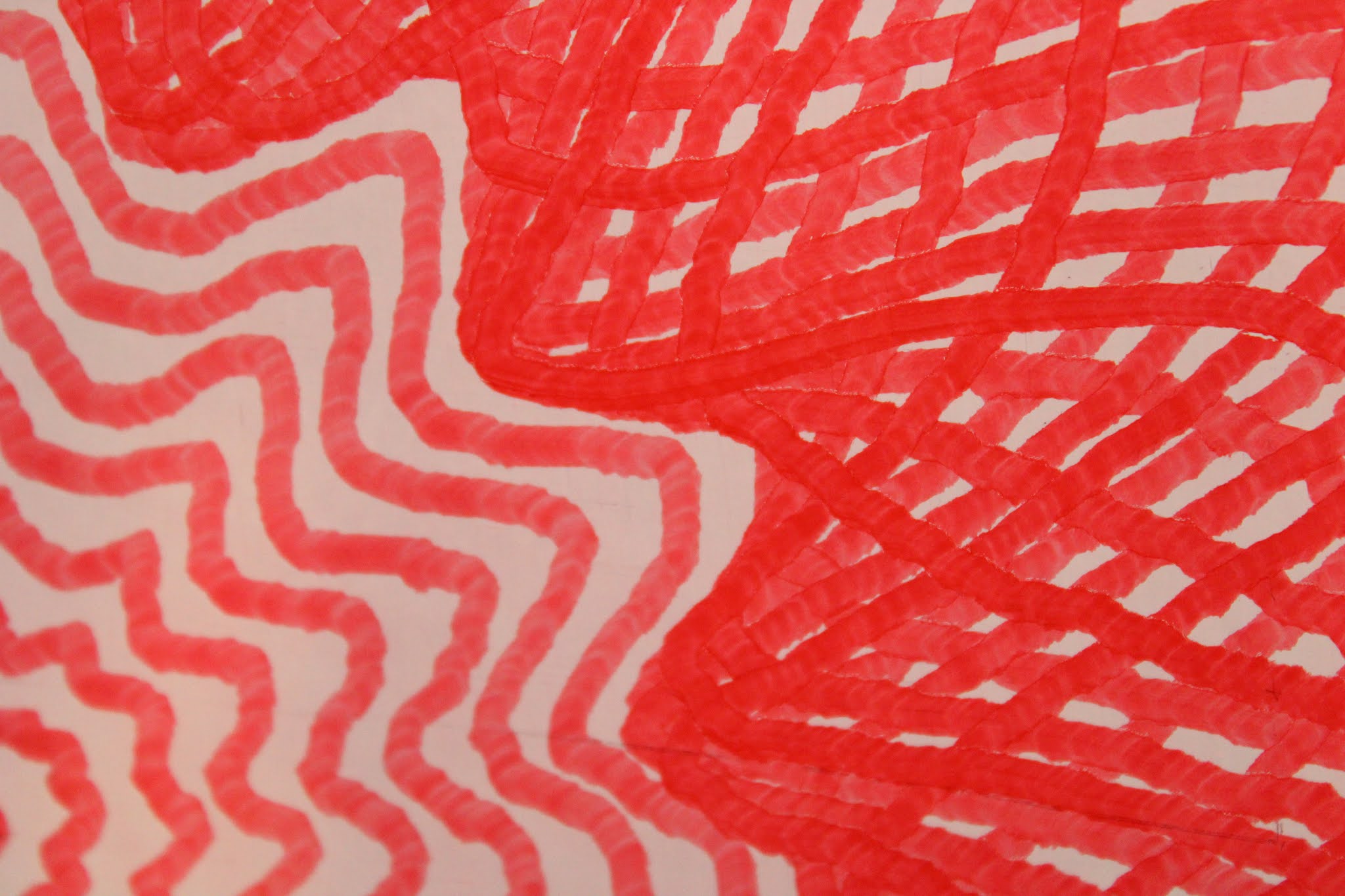
After I drew it I zoomed in and took some photos up close. There are some interesting textures.




Thursday, February 18, 2021
Cardioid
Today I was inspired by this guys pictures.
http://inkylines.blogspot.com/2019/05/full-gallery-httpswww.html
Here is what I did with it.


Saturday, January 2, 2021
Waves Flower1 Flower2 and Slinky
I did some more pictures from Matthias Wandel.
This is his website where I got the ideas.
http://matt.wandel.ca/artwork/math_art.html
First I did Waves again but bigger than before.

Then I did the one called Flower1.

Then I did Flower2.

Then I did Slinky.

Shingles and Waves
The idea for these pictures came from this website.
http://matt.wandel.ca/artwork/math_art.html
This is an old website by Matthias Wandel of woodgears.ca fame.
The first picture is one he called "shingles."


This one took about two hours to draw.
I'm hoping to get a better camera so I can start posting more timelapse videos of these drawing.
Friday, December 25, 2020


Saturday, July 6, 2019
Butterfly
This is another one derived from data for the sandplotters at Sisyphus Industries.
https://sisyphus-industries.com/
The first time I did it I started it going, watched the first part and then went off to work in the yard.
It drew a little bit too big.
 So I shrunk it by 10%.
 I made videos of both of them. Since this is just drawing the path and not stopping to draw circles it only takes about an hour to draw either one so it appears to move much faster than in previous videos. It is actually sped up by the same amount as the longer videos on previous days.
I also see that I need to cover the window next to the doodler when I film these during the day time.
https://sisyphus-industries.com/
The first time I did it I started it going, watched the first part and then went off to work in the yard.
It drew a little bit too big.


I also see that I need to cover the window next to the doodler when I film these during the day time.
Thursday, July 4, 2019
This one is Amazing

https://sisyphus-industries.com/
Monday, July 1, 2019
Tumbling Blocks
This one is for my quilt friends.
 Here is a faster time lapse.
Here it is a little slower.

I broke it
I was plotting the other day and all of a sudden the pen scooted off the board and hit the wall.
 One of the bobbins that wind up the fishline had broken it's glue joint.
I got a new bobbin and glued it back on with JB Weld.
 Then I ran a couple of calibration plots to see how well it worked.

 The diagonal lines are the result of the bobbins not being centered on the motor shaft. There are lines at right angles to the left motor that I didn't fix but very few at right angles to the right motor. Comparing these to ones that I made back in March I think I did a better job of centering the bobbin this time.

I got a new bobbin and glued it back on with JB Weld.


Friday, June 14, 2019
Steam

This took just over 6 hours. I might be able to speed it up to 4 hours.
Here is a speedup of the time lapse, just under 2 minutes.
Here is the regular speed time lapse, over 10 minutes.
Saturday, May 4, 2019
harmonograph
I tried simulating what a harmonograph would draw. The harmonograph is an old mechanical drawing device that predates the spirograph by about 100 years. Here are some links explaining it.
http://www.waynesthisandthat.com/harmonographs.html
http://www.karlsims.com/harmonograph/
https://en.wikipedia.org/wiki/Harmonograph

http://www.waynesthisandthat.com/harmonographs.html
http://www.karlsims.com/harmonograph/
https://en.wikipedia.org/wiki/Harmonograph

Saturday, April 27, 2019
valentines 2014 revisited
This took almost two hours to draw. Condensed down into just over three minutes of video.
This is based on a stamp that Stampin Up used to sell. It was scanned, traced, stippled and turned into an SVG file. Then I extracted the data with a text editor, tweaked it with Excel and put it into the arduino. It draws a six dot wide circle at each point. There are 4810 circles.


Friday, April 26, 2019
about as good as it gets
I switched to a new pen because the other one ran out of ink. This one is thinner, more like a pen than a marker. It draws a finer line.
 Here is the timelapse. Photos taken every two seconds with my laptop camera. Output fifteen photos per second.

Wednesday, April 24, 2019
tried to fix it
I swapped the SIN and COS functions around. That had the effect of rotating the picture a quarter turn and drawing in the opposite direction. I didn't have time for it to finish last night but what it did worked pretty good. I will try again when I have more time and film it.


Saturday, April 20, 2019
six nodes one hundred rounds timelapse
I stitched over 3000 photos together into a little over three minute video.
It messes up part way through but is still mesmerizing to watch.
Wednesday, April 17, 2019
six nodes one hundred rounds
I tried this one last night. As it moved down on the left side the pen would kind of stick to the board and didn't slide nicely. I think at one point it stuck enough to cause the bobbin to lose a wrap of string. All the lines after that were out of place. I did have the laptop set up to take a picture every two seconds. I am working on pasting them all together into a video. Any suggestions on good software to do that would be appreciated.
 It may be time to move up to more powerful motors and a better motor driver.

Monday, April 8, 2019
six node time lapse oops again
It messed up while drawing the six node figure also and I stopped it part way through. I haven't drawn it right yet.
five node time lapse oops
I went off to Dairy Queen to get supper while it was drawing. The string caught on the knot in the bobbin and wound up when it thought it was unwinding. There are a couple of frames of my wife putting the pen gondola back on the front of the board.
I redid it so you can see what it is supposed to look like.
Subscribe to:
Posts (Atom)